
The Main Menu and some of the Context Menus within the application window may be modified. Items of the context menus can be hidden by de-selecting them similarly to the toolbars. The main menu can be modified as follows:
Modifying the Main Menu
Display Layout Manager by the
 View > Layout > Layout Manager command.
Select the Main Menu in the topmost pull-down menu.
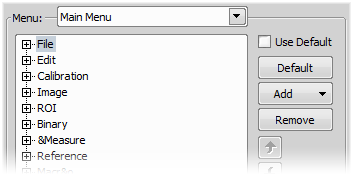
Figure 43.
Any item may be added to the main menu - a Separator, a Menu Command, a sub-menu (Menu Popup), and even a new menu (Main Menu Popup) - by the Add button.
Select the existing menu item under which you would like to place the new item.
Click the Add button and select the item to be added from the pull-down menu.
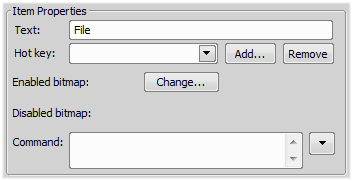
Figure 44.
Note
The Default button discards all changes and loads the main menu original configuration. The Remove button deletes the selected item. The arrow buttons move the selected item up/down. The Use Default check box, when selected, applies the default settings to the menu.