
 Condition (If)
If the specified conditional expression is evaluated TRUE, the contained tasks will be run. Otherwise the contained tasks are skipped. Use this task during the job to decide what happens next when a defined condition is met. |

Figure 1298. Example of an expression.
After defining your If condition it is possible to add more conditions defined by different parameters. This can be done by right-clicking the task's frame and choosing Add 'Else' or Add 'Else If'. Else represents all options except those defined by the condition. If Else requires defining another condition in order to run its contained tasks.
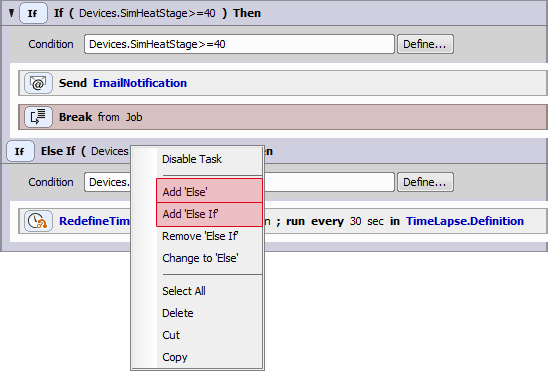
Figure 1299.
See also Using Conditions.
 Condition (If-Else)
If the specified expression is evaluated TRUE, the contained tasks will run. Otherwise the script proceeds to “Else”. Use this task during the job to decide what happens next when a defined condition is met and not met. |
The same as in the Conditions > Condition (If) task.
See also Using Expressions.
 Every nth
 Loop over Wells
 Loop over Points
 Loop over Plates
 Loop over Regions
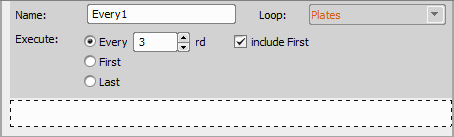
Figure 1300. Every Nth task inside a Loop over Plates
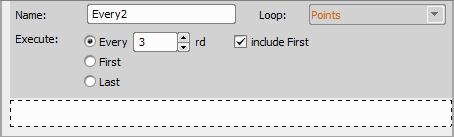
Figure 1301. Every Nth task inside a Loop over Points
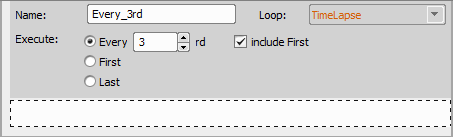
Figure 1302. Every Nth task inside a Time Lapse
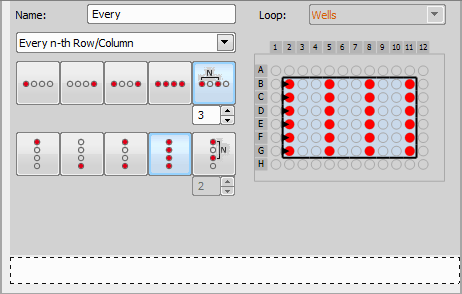
Figure 1303. Every Nth task inside a Loop over Wells
Select this option to execute the inner tasks on selection of wells defined by a specific combination of rows and columns. Click the icons to select first, last, first and last, all wells or every n-th well in a row and a column. An Offset can be set for the “first well” option (offset 0 selects the first well, offset = 1 selects the second well and so on).
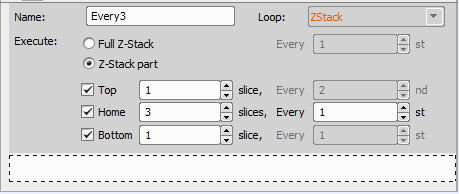
Figure 1304. Every Nth task inside a Z-Stack Loop
Executes the inner tasks on each plane of the Z-Stack defined by the Z-Stack >  Define Z-Stack task.
 Break
Break
Exits execution of the selected loop and continues to subsequent tasks or exits the whole job. Use this task with a Conditions > |
 Continue
 While being inside a loop, this task breaks the current iteration and continues with the next one. |
 Logical Expression
 Defines a logical expression for variables used in JOBs. For more information about working with expressions please see Using Expressions in the electronic help. If a variable equals 5, then return true. You can also use this task as a parameter inside other tasks to show them or not. |