
The appearance and behavior of the graph can be modified in the General Graph Properties window. Right-click inside the graph area and select the Options command from the context menu.
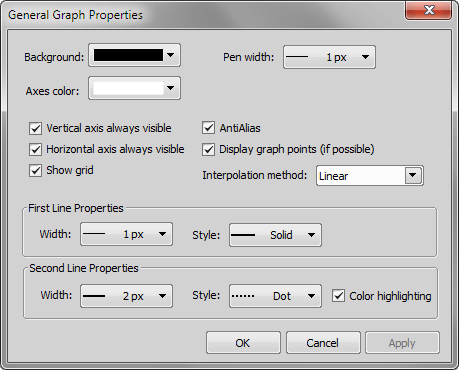
Figure 1584.
Vertical axis always visible, Horizontal axis always visible
If checked, the axes do not leave the graph area while zooming in the graph.
Display graph points (if possible)
Small dots indicating the actual data values position can be displayed on the graph line. The points appear only if the distance between them is big enough for them to be recognized (they usually appear when you zoom in the graph).
Note
Basic graph properties such as object selecting, graph smoothing and data exporting can be performed from the context menu over the graph.